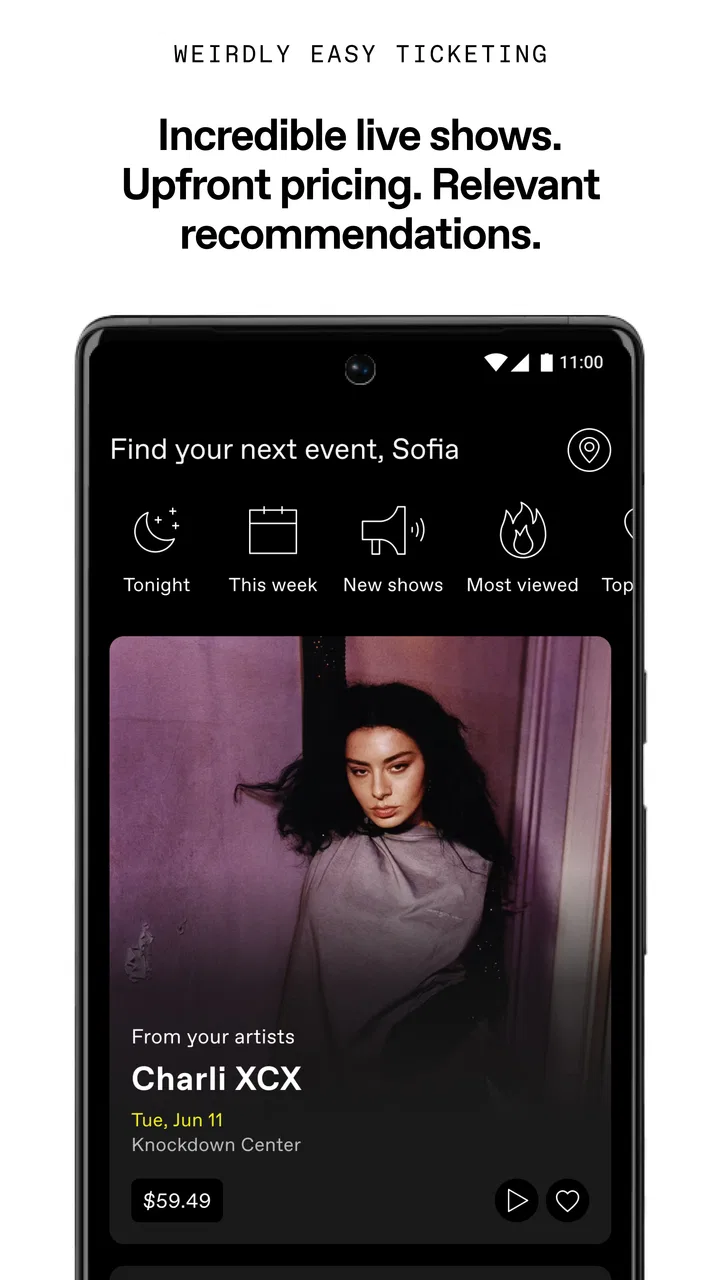
DICE: Live Shows
- 4.7
- Rating
- 5.00M
- Installs
- Free
- Price

 Analysis by App-foxy
I use DICE: Live Shows when I want to find a concert, club night, or festival without jumping between several venue pages and ticketing services. It is a free music and audio app from DICE FM, but its real value is practical rather than decorative: it brings live events into one place and lets me move from discovery to ticket management with less searching. The experience feels aimed at people who already know they want to go out, as well as those who want to see what is happening nearby.
My first impression was that this is not a replacement for a streaming service. It does not try to be my everyday player for albums or podcasts. Instead, it works as a companion for the part of music culture that happens in rooms, clubs, and festival grounds. That narrower purpose is also its strength. If your weekends revolve around live music, DICE can become a useful habit. If you only want background listening, another music app will suit you better.
How I use DICE to turn discovery into a repeatable routine
The simplest workflow is to open the app when I am deciding what to do, browse the available shows, and narrow my attention to artists or events that genuinely fit my taste. I find this more useful than searching the web with a vague phrase such as “concerts near me,” because the app is built around events rather than general music information. The distinction matters: I am looking for a night out, not just a biography, playlist, or video.
You May Also Like

 Blood Strike: 2.5 Anniversary
Blood Strike’s Loadouts Turn Every Drop Into a Tactical Gamble
A close look at Blood Strike’s custom loadouts: how fast access to signature weapons reshapes its battle royale rhythm, rewards preparation, and narrows the gap between fights.

 Pandora - Music & Podcasts
Pandora’s Music Is Easy to Start, but Harder to Recover
Pandora’s strength is its low-effort path from a seed to a station. Its weak spot is how much confidence it asks you to place in connection, setup, and quiet recovery.

 8 Ball Pool
 Is Built on Rivalries, Rematches, and Routine
A close look at the rivalries, rematches, shared routines, and unanswered safety questions that turn a quick pool match into a persistent mobile community.

 Samsung Music
’s Quiet Strength Is Playing What You Already Own
Its reach comes less from spectacle than from dependable access to a personal library. That simplicity is both the app’s strongest retention engine and its ceiling.

 AccuWeather: Weather Radar
AccuWeather Review: A Quick, Clear Forecast for Everyday Decisions
For everyday plans, the best forecast is the one you can understand quickly. AccuWeather makes rain timing, radar, and local conditions easy to act on, with a few trade-offs.

 Hill Climb Racing
Why Hill Climb Racing Still Turns Crashes Into One More Run
A tiny car, a bumpy hill and one more upgrade: Hill Climb Racing keeps resurfacing because its simple chaos makes every near-miss feel personal.
More From Our News Desk



I normally begin with discovery rather than a specific artist. That gives the app a chance to surface smaller events I might miss through familiar search habits. Once something catches my eye, I check the artist, venue, date, and ticket details before deciding. This small pause is worthwhile because a good-looking event can still be inconvenient if the location or timing does not work for me.
When I already have an artist in mind, I use the search path instead of scrolling through everything. This is especially helpful before a trip. I can check whether the artist is appearing in the city I will visit and compare the event with other plans. The app is therefore useful in two different modes: spontaneous local discovery and deliberate planning around a particular performer.
One habit that saves me time is separating “interesting” from “definitely attending.” I browse freely first, then return to the events that survive a practical check. I consider travel, the day of the week, the venue, and whether I am comfortable committing at that moment. This prevents an overcrowded collection of tempting possibilities from becoming a confusing list.
For a realistic everyday example, imagine finishing work on a Thursday and wanting something to do that evening. I open DICE, look through nearby shows, and focus on events whose start time and location are realistic rather than choosing only by artist name. If I find a suitable option, I can continue through the ticket process in the same environment. That is more efficient than opening a search engine, a venue calendar, an artist page, and a separate ticket service one after another.
The app also makes sense for planning with friends, although I would not treat it as a complete group-planning tool. I can use it to identify a specific event and share the decision outside the app, but the social conversation still happens elsewhere for most groups. My advice is to agree on the event before buying, especially when availability or timing may affect everyone.
Its audience is broad, but the best fit is someone who attends live music regularly enough to value a dedicated place for shows. The service is also appealing if you enjoy discovering less obvious nights rather than waiting for a major artist announcement. On the other hand, people who need a universal calendar covering every kind of local entertainment may prefer a broader events service. DICE is focused, and that focus means it will not replace every local listings platform.
The details I check before committing to a ticket
I have learned not to stop at the artist image or event title. I read the venue information and timing carefully, then consider the practical journey home. A ticket may look like a good deal in isolation, but the total night includes transport, time, and energy. DICE helps me find the event; it cannot make an inconvenient venue convenient.
I also pay attention to whether I am looking at a club event, a concert, or a festival listing. Those formats create different expectations. A club night may involve a later schedule and a more flexible arrival, while a festival requires more planning and usually deserves a closer look at the event information. Treating every listing as if it were the same is an easy way to make a poor choice.
Another useful habit is checking the event again before the day arrives. I do not assume that remembering the artist is enough. I want the ticket information and venue details available when I need them, especially if I am travelling or meeting friends. Keeping the app installed until after the event is more sensible than deleting it immediately after purchase.
The application is free to install, which removes the usual barrier to trying it. That does not mean every part of attending a show is free, of course; the event itself may require a ticket. I mention this because the distinction is easy to blur when an app is described simply as free. I see DICE as free access to a ticket-discovery and event-management service, not as a source of free entry.
It is rated for Teen users, so I would still make decisions based on the individual event rather than assuming every listing suits every person. A festival, concert, and late club night can have very different atmospheres. The age label gives a general guide, but the event details and my own judgement matter more when deciding whether a particular night is appropriate.
Settings and small habits that improve the experience
I recommend checking the app’s notification and location-related choices early, rather than allowing every prompt to shape the experience automatically. I prefer alerts that help me notice relevant shows without turning my phone into a constant stream of event reminders. The right balance depends on how often I go out: frequent attendees may welcome more discovery prompts, while occasional visitors may want a quieter setup.
I also review account and ticket-related settings before I need them. This is not exciting, but it avoids last-minute friction when I am standing outside a venue or trying to confirm a booking. A few minutes spent understanding where event information and account controls live is more valuable than learning the layout during a busy evening.
Location is useful for local discovery, but I do not rely on it blindly when travelling. Before a trip, I search by the destination and check the event context myself. This is one of the better ways to use the app: let it help narrow the field, then apply human judgement to the city, venue, and schedule.
My strongest recommendation is to keep discovery and decision-making separate. I allow myself to browse widely, but I use a short checklist before buying:
- Is the date genuinely free?
- Can I reach the venue and return home comfortably?
- Do I understand whether it is a seated show, club night, or festival-style event?
- Have I checked with the friends who are meant to come?
This checklist is not a feature of the app; it is a repeatable way I use DICE responsibly. It prevents the excitement of finding an event from taking over the practical decision. For me, that is one of the clearest differences between casually browsing listings and using the service well.
The app has grown into a substantial service, with more than one million installs and an average rating of 4.7 from roughly 88 thousand ratings. Those figures suggest that it is not a niche experiment, but they do not remove the need to judge it against my own city and music preferences. A platform can be widely used and still be less useful if its local coverage does not match the shows I want.
Faster patterns for experienced users
Once I know what kind of night I want, I avoid starting from the full catalogue every time. I use a few repeatable routes: artist-first when I have a name, venue-first when I already know where I want to go, and date-first when I am filling a free evening. Switching between those approaches is faster than forcing every search through the same path.
The artist-first route is best when I follow a touring performer. I search for the artist, inspect the relevant date, and then check the venue. The venue-first route is more useful when I trust a particular club or concert space and want to see its upcoming programme. Date-first discovery is the most open-ended, but it can produce the best surprises if I have enough time to explore.
I also use a two-pass browsing system. During the first pass, I save mental notes about promising events without trying to make an immediate decision. During the second, I compare only those candidates using location, timing, and event type. This keeps me from repeatedly opening the same pages and makes the final choice feel deliberate rather than impulsive.
When friends ask what is happening, I send them one or two concrete options instead of a long stream of screenshots. A short shortlist makes it easier to agree. I include the artist, venue, and date in the message because those are the details people need before they can answer. The app supports discovery, but good communication outside it is what turns discovery into a group plan.
For regular users, the most useful “shortcut” is consistency. I check the app at a predictable point in the week, then stop when I have made a realistic plan. Constantly refreshing event listings can create the feeling that I am missing out, while a scheduled check gives me the benefits of discovery without letting it dominate my attention.
I would not call DICE a full replacement for every alternative. A venue’s own site may be better for detailed venue information, an artist’s social channels may announce shows earlier to dedicated followers, and a general ticket marketplace may cover events outside DICE’s focus. My preferred approach is to use DICE as the central discovery and ticket workflow, then verify the practical details through the event information and, when necessary, the venue’s own communication.
Where the focused design reaches its limits
The same focus that makes DICE pleasant for live music can feel restrictive if I want a wider entertainment search. I cannot expect it to act like a universal city guide. Someone looking for theatre, exhibitions, comedy, sports, and concerts in one combined calendar may be happier with a broader events application.
Coverage is another consideration. The app may be highly useful in one city and less valuable in another, depending on which promoters, venues, and artists use it. I would test it with the kinds of events I actually attend rather than judging it only by its polished presentation or large user base. If the local listings do not reflect my scene, the app cannot solve that through better browsing habits.
I also think about commitment. A dedicated ticketing app makes it easy to move from “that looks good” to a real purchase. That convenience is helpful when I have made up my mind, but it can encourage impulse decisions when I have not checked transport, timing, or friends’ availability. My rule is simple: I never buy during the first emotional reaction to an exciting listing.
People who expect a music player may also be disappointed. DICE belongs to music and audio because it connects people with live music, not because it replaces a streaming library. If my goal is offline listening, algorithmic playlists, or a huge catalogue of recordings, I choose a dedicated streaming app instead. This service earns its place for event discovery, not for replacing recorded music.
The current version is 4.239.0 and it supports operating systems from version 10 onward. That makes it accessible to many current Android and iOS users, but anyone keeping an older device should check compatibility before planning around it. I also prefer updating before a major event, because ticket access is exactly the kind of task I do not want to troubleshoot at the entrance.
As a product from DICE FM, the app feels most coherent when I use it as an end-to-end companion: discover a show, examine the event, make a considered purchase, and return to the app when I need the ticket information. It is less compelling when I ask it to perform unrelated jobs. Understanding that boundary helps me avoid both overrating and underrating it.
My verdict after building a reliable routine
I recommend DICE: Live Shows to anyone who wants a more organised way to find concerts, club events, and festivals. I especially like it for the gap between hearing about an artist and actually deciding to attend. The app reduces the amount of scattered searching, while still leaving me in control of the important choices.
The best results come from using it with a routine: browse by artist, venue, or date; check the practical details; compare a short list; and review the ticket information before leaving home. Those habits make the service feel faster and calmer than random searching. They also protect me from the main weakness of any convenient ticket platform: making an exciting plan before thinking through the real-world details.
I would skip it if I rarely attend live music, need one calendar for every type of entertainment, or mainly want recorded music. I would also keep another source nearby if my local scene is not strongly represented. In those cases, a general events guide, a venue website, or a music-streaming service may be the better primary tool.
For the right user, though, DICE is a focused and useful free app rather than just another event catalogue. Its 1.8 thousand reviews and strong average rating reflect a service that many people find dependable enough to keep using, while its Teen content rating gives a general age context for the platform. My own conclusion is straightforward: use it as a live-music planning tool, not as an all-purpose music app. With that expectation, it becomes a practical companion for turning “maybe I should go out” into a well-planned night.
FAQs for DICE: Live Shows
01What is DICE: Live Shows?
DICE: Live Shows is an app designed to help users discover and book tickets for live music events and shows. It offers personalized recommendations based on your music preferences, making it easy to find events you’ll love. The app is available on both Android and iOS platforms.
02How do I purchase tickets on DICE: Live Shows?
To purchase tickets, simply browse available events, select the one you’re interested in, and follow the on-screen instructions to complete your purchase. DICE securely processes payments and sends your tickets directly to the app, ensuring a seamless and paperless experience.
03Can I get a refund for my DICE: Live Shows tickets?
DICE has a flexible refund policy, allowing users to return tickets if they can no longer attend the event. However, the ability to refund may depend on the event organizer's policies. Always check the specific event details within the app for refund eligibility.
04Does DICE: Live Shows offer personalized event recommendations?
Yes, DICE provides personalized event recommendations based on your music taste and previous event attendance. By analyzing your preferences, the app suggests shows and concerts that align with your interests, making it easier to find events you'll enjoy.
05Is DICE: Live Shows available in my city?
DICE is expanding its reach, but availability may vary depending on your location. The app focuses on major cities and music hubs, offering events in places like London, New York, and Los Angeles. Check the app or website for the latest city coverage and upcoming events.
Pros
- Interactive live events keep users engaged.
- Diverse range of shows available to explore.
- Seamless ticket purchasing process.
- High-quality streaming with minimal lag.
- User-friendly interface and navigation.
Cons
- Limited availability in some regions.
- Requires strong internet for optimal use.
- Ticket prices can vary significantly.
- Notifications can be overwhelming.
- Occasional app crashes during peak times.

DICE: Live Shows
Gallery